In short: For expats living in international hubs like London, Dubai, New York, or Berlin, maintaining consistent contact with family back home is a daily necessity. While smartphone apps are excellent for peer-to-peer chats, they fail when reaching traditional landlines, older relatives, or local institutions. A WebRTC browser dialer solves this by connecting your web browser directly to the public telephone network. You can call any landline or mobile directly from Chrome or Safari, with no app required for the recipient. Credits never expire, and live rates are shown before you dial.
Relocating to a new country represents an incredible personal and professional milestone. Yet, even in our hyper-connected world, moving abroad highlights the digital divide between global tech hubs and residential neighborhoods back home.
Whether you are a developer in London calling family in Poland or Bangladesh, a health professional in Melbourne, or a business owner in Singapore staying in touch with Morocco or Guatemala, staying in touch with your roots is a core priority. However, expats quickly encounter a frustrating reality: the communication tools we rely on for work cannot always reach our families. Older relatives often prefer physical landline handsets, and key services—from local banks to municipal offices—cannot be reached through closed app ecosystems.
This comprehensive guide details how browser-based calling bridges the gap for the global diaspora, compares WebRTC voice channels with traditional app-to-app communication, provides a complete blueprint for dialing international formats correctly, and outlines essential quality optimizations for crystal-clear international connections.
The expat calling dilemma: App-to-app vs. browser-to-phone
When settling into a new country, your immediate instinct is to utilize the messaging applications already on your phone. Platforms such as WhatsApp, Viber, and FaceTime are brilliant for daily text updates, media sharing, and quick calls between smartphone users. However, these tools are built on closed ecosystems, introducing operational bottlenecks that expats encounter almost immediately.
The functional limits of app-to-app communication
- The double-sided technology barrier: App-to-app calling requires both parties to have the identical application installed, active accounts, compatible modern smartphones, and stable data connections. If your grandmother in rural Italy relies on a legacy copper landline, or a relative uses a basic physical feature phone, app-to-app communication is impossible.
- The bandwidth tax: High-resolution voice and video calling over mobile messaging apps demand a high, continuous bitrate. In regions where mobile data is expensive, capped, or unstable, relying on app-to-app communication leads to jitter, robotic audio, and frustrating, dropped connections.
- The institutional gap: You cannot use WhatsApp or FaceTime to contact administrative institutions in your home country. Whether you need to resolve a tax query, check an account with a local bank, contact an insurance provider, or coordinate with a municipal government office, these entities operate exclusively on the Public Switched Telephone Network (PSTN) and require standard telephone calls.
- Device overhead and battery drain: Heavy, modern messaging applications running high-bandwidth codecs can cause mobile devices to overheat and consume significant battery power, particularly during extended family calls.
The browser-to-phone alternative
Browser-to-phone calling, built on standard WebRTC (Web Real-Time Communication) protocols, completely changes this dynamic. Instead of installing a custom app or subscribing to a bloated VoIP system, you open an ordinary web browser—like Google Chrome, Mozilla Firefox, or Apple Safari—on your computer, tablet, or smartphone, and dial a standard phone number.
+-------------------+        Secure Audio       +---------------------+        Global PSTN        +--------------------+
|  Your Web Browser  | ------------------------> | BLAH! phone Gateway | ------------------------> |  Recipient's Phone |
| (Chrome / Safari) |   (WebRTC audio)   |     Infrastructure  |   (Landline or Mobile)  |  (App/Internet Free) |
+-------------------+                           +---------------------+                           +--------------------+
Behind the scenes, your web browser securely accesses your microphone, converts your analog voice into highly optimized digital packets, and transmits them over a secure connection to our carrier gateway. The gateway instantly bridges the digital stream onto the public telecom network of the destination country.
For the recipient, the experience is indistinguishable from a standard local call. Their traditional physical landline or mobile handset rings normally. They do not need a computer, an internet connection, or an app. They simply lift the receiver, answer, and speak.
To learn more about the engineering that enables this direct web-to-phone bridging, read our deep-dive on how WebRTC browser calling works.
Comparative analysis: Expat calling options
To understand where browser-based calling fits in your communication toolkit, it is helpful to compare it directly with other common expat alternatives.
| Communication Metric | App-to-App (e.g., WhatsApp) | International Roaming | WebRTC Browser calling (BLAH! phone) | Traditional Calling Cards |
|---|---|---|---|---|
| Recipient Requirement | Must have the app, smartphone, and internet | Standard phone number | Standard phone number | Standard phone number |
| Hardware Required | Modern smartphone | Your mobile phone | Any device with Chrome/Safari | Physical handset or payphone |
| Setup Process | SMS verification & profile creation | Automatic (high-cost) | Immediate signup; no SMS verification | PIN entry via local access number |
| Rate Transparency | Free (data-dependent) | Extremely high, variable rates | Live per-minute rate shown in dialer | Complex connection & maintenance fees |
| Balance Expiration | N/A | Dependent on carrier billing | Credits never expire | Typically expires 30–90 days from activation |
| Voice Quality | Variable; highly bandwidth-dependent | High (PSTN standard) | High (Direct digital transit) | Medium (Frequent compression/routing lag) |
Why BLAH! phone is built for the global diaspora
Traditional internet calling services are often bloated with subscription contracts, complicated software installers, and hidden fees. BLAH! phone was engineered specifically to strip away this friction, creating a direct, fair, and accessible link back home.
1. Zero phone verification to start dialing
Most legacy calling applications require you to verify your personal mobile phone number via an SMS short-code before you can place a call. For newly arrived expats who have not yet secured a local SIM card, or who want to maintain separation between their overseas and home-country numbers, this is an immediate barrier. BLAH! phone eliminates this requirement completely. You can sign up and start calling immediately, right from your browser.
2. Live per-minute rates shown before you call
We believe in absolute transparency. You should never have to search through complex PDFs or tables to find out what a call costs. When you type or paste an international number into the BLAH! phone browser dialer, the exact, live per-minute rate for that precise prefix is displayed on screen before you initiate the call. We do not use connection fees, flag falls, or administrative maintenance charges.
3. Calling credits that never expire
Many international calling cards and subscription-based calling packages use a "use-it-or-lose-it" billing model, wiping out your unused balance after 30 days. We believe that is your money, and you should keep it. On BLAH! phone, your pay-as-you-go calling balance remains active in your account forever. Whether you call home every single evening or just once every six months, your balance remains exactly where you left it.
4. Seamless compatibility across Chrome and Safari
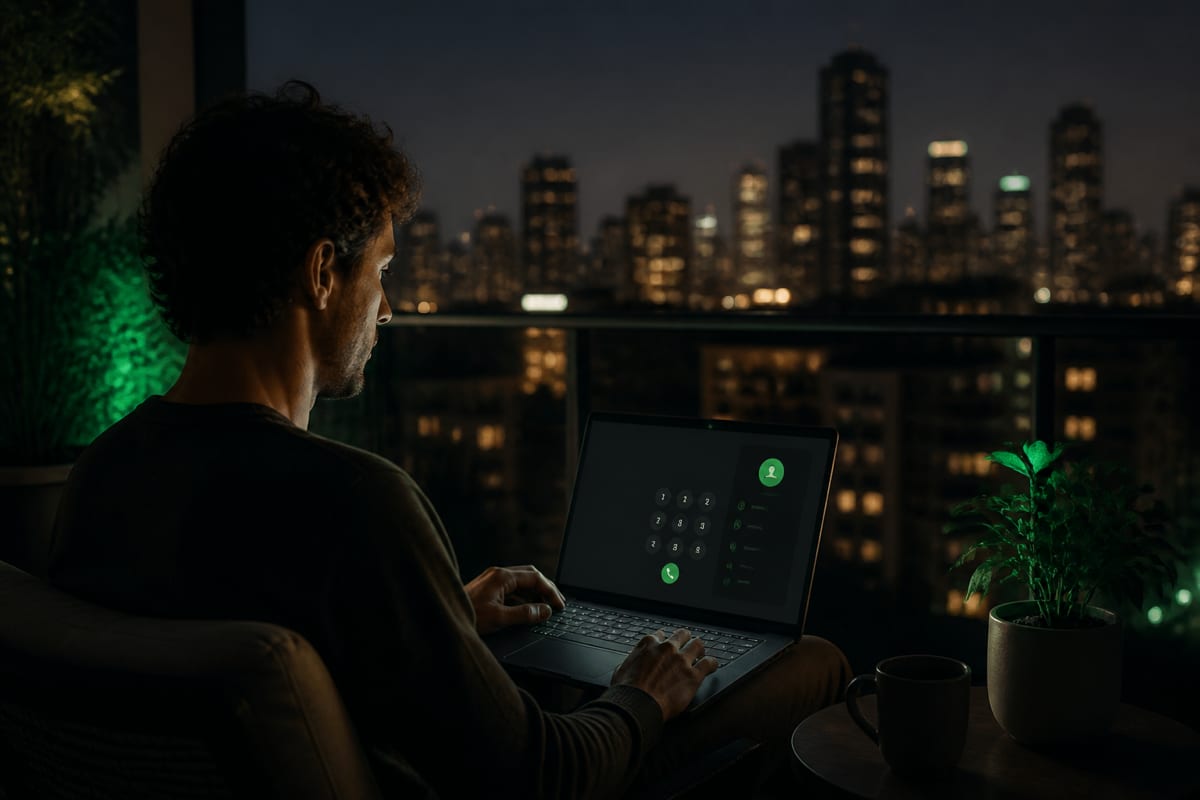
You do not need to download heavy desktop software or manage app store downloads on an already cluttered phone. BLAH! phone is a lightweight web application that runs directly inside Google Chrome and Apple Safari. This allows you to place calls from a laptop while working, a tablet on your kitchen counter, or a mobile browser while on the move.
If you are evaluating different calling methodologies, explore our breakdown of the best international calling apps.
Mastering E.164: How to dial home correctly
The single most common cause of failed international connections is incorrect formatting. When you live abroad, you can no longer dial a domestic number using local shortcuts. You must format every single destination number using the international E.164 standard.
E.164 is a global ITU-T recommendation that defines a uniform format for public telecommunication numbers, ensuring that every phone on earth has a unique, unambiguous address.
The structure of an E.164 number
An E.164 number is limited to a maximum of 15 digits (excluding the initial plus sign) and is assembled as follows:
$$\text{International Number} = \mathbf{+} + \text{Country Code} + \text{Area/City Code} + \text{Subscriber Number}$$
- The Plus Sign (
+): This is the essential international prefix that tells the network your call is transitioning from a local exchange to the global routing system. - The Country Code: A 1 to 3-digit prefix (e.g.,
1for the United States/Canada,44for the United Kingdom,91for India,971for the UAE). - The National Destination Code (NDC): The local area or city code, with one critical modification: you must remove the leading trunk zero.
- The Subscriber Number: The unique individual or household telephone number.
The golden rule: Drop the leading zero
In many countries, a leading zero (0) is added to the beginning of domestic numbers as a trunk prefix for national routing. For instance, a UK mobile number dialed within London is written as 07700 900077.
However, when routing from an international gateway, the leading trunk zero must be removed. Dialing a country code followed by a leading zero (such as +44 07700...) will result in an immediate routing error, a "number not in service" recording, or a failed call.
Universal E.164 formatting examples
Use this table as a reference for formatting numbers when calling home from your browser:
| Destination Country | Local/Domestic Format | Correct E.164 Format | Note on Conversion |
|---|---|---|---|
| United Kingdom | 020 7946 0192 (London landline) | +44 20 7946 0192 | Remove leading 0, prepend country code +44 |
| United Kingdom | 07700 900077 (Mobile handset) | +44 7700 900077 | Remove leading 0, prepend country code +44 |
| United States / Canada | (212) 555-0199 (New York landline) | +1 212 555 0199 | Prepend country code +1 (no leading zero used) |
| United Arab Emirates | 04 312 3456 (Dubai landline) | +971 4 312 3456 | Remove leading 0, prepend country code +971 |
| United Arab Emirates | 050 123 4567 (Mobile handset) | +971 50 123 4567 | Remove leading 0, prepend country code +971 |
| India | 022 2272 1234 (Mumbai landline) | +91 22 2272 1234 | Remove leading 0, prepend country code +91 |
| India | 98123 45678 (Mobile handset) | +91 98123 45678 | Prepend country code +91 (no trunk zero exists) |
| Germany | 030 8973 1234 (Berlin landline) | +49 30 8973 1234 | Remove leading 0, prepend country code +49 |
For a comprehensive guide to formatting, bookmark our international number format (E.164) guide.
Active call limitations: Understanding the disabled dial pad (No DTMF)
Expats do not just call family. Relocating abroad often involves wrapping up administrative business with banks, utility companies, government bodies, or subscription services. These organizations almost universally route inbound callers through Interactive Voice Response (IVR) systems—the automated voice menus that request you to "press 1 for account inquiries, press 2 for billing."
If you plan to contact these entities, you must understand a key security and technical parameter of the BLAH! phone dialer:
The BLAH! phone web dial pad is completely disabled during active calls.
Once your call is connected to a destination, clicking or tapping numbers on your screen will not transmit Dual-Tone Multi-Frequency (DTMF) touch-tones down the line. If you reach an automated corporate switchboard that strictly requires you to enter an account number, input a PIN, or press a specific key to navigate further, you will not be able to do so through this browser interface.
Practical strategies for navigating automated menus
While this design keeps our platform lightweight, secure, and incredibly fast, it requires some planning when calling institutional numbers:
- Leverage the live operator fallback: The vast majority of corporate IVR systems are designed with a fallback mechanism. If the system detects that no DTMF tones are transmitted after several prompts, it will automatically route the call to a queue of live operators. Simply wait on the line without pressing any keys.
- Utilize voice recognition commands: Many modern automated switchboards support natural language input. If the system asks you to "press 1 or say support," speak clearly into your microphone. Words like "operator," "agent," "billing," or "representative" will frequently bypass the keypad menu.
- Seek direct geographic numbers: Large corporations and banks often maintain direct-dial geographic numbers specifically designated for international callers or premium accounts. These direct lines frequently bypass the main automated switchboards entirely or connect directly to a human service desk.
- Reserve keypad tasks for native channels: If you must interact with an system that absolutely requires keypad DTMF entry (such as automated telephone banking PIN entry or inputting a multi-digit tracking number), we advise routing those specific calls through a native mobile or landline connection that supports active touch-tones.
For more strategies on contacting corporate service centers, read our guide on how to call customer service from abroad and review our directory of regional service numbers.
Expat voice quality checklist
When calling across continents, your voice data traverses vast networks, undersea cables, and local exchanges before emerging on your family's handset. To ensure your conversation feels natural, responsive, and clear, follow this technical checklist before placing your call:
- Wear a wired headset: Built-in computer microphones are highly sensitive and prone to capturing room reverberation, system fan spin, and ambient room noise. Using a basic pair of wired earbuds with an inline microphone isolates your voice, blocks echo, and prevents the callee from hearing their own voice bouncing back.
- Verify Wi-Fi network stability: Voice packets (VoIP) are highly sensitive to network dropouts. If you are sharing a congested public Wi-Fi network at a café, your audio may experience packet loss (sounding choppy or mechanical). Move closer to your router, utilize private home Wi-Fi, or connect via a stable mobile hotspot. For a breakdown of network selection, read Wi-Fi vs mobile data for VoIP.
- Prune open browser tabs: Each open tab in Chrome or Safari consumes valuable RAM and CPU cycles. If your system is running resource-intensive background processes, it can delay the processing of real-time audio streams. Close inactive tabs to give your browser dialer maximum priority.
- Review browser microphone permissions: When you first initiate a call, your browser will prompt you to allow microphone access. If you accidentally dismiss or deny this prompt, the call will connect, but the other party will hear only silence. You can easily reset this permission by clicking the lock icon next to the URL in your browser's address bar. For step-by-step assistance, see browser microphone for calling.
- Confirm international formatting: Double-check that your destination number is written in full E.164 format. Ensure you have dropped the leading domestic trunk zero before dialing.
Simple next steps for expats
Staying close to your family and handling your administrative duties from abroad shouldn't involve complex software or hidden fees. If you are looking for a straightforward, transparent way to connect:
- Place a call from the browser dialer to any landline or mobile back home.
- Check live rates for popular corridors such as call Poland, call Bangladesh, call Morocco, and call Guatemala, or browse all calling destinations.
- Read our step-by-step walkthrough of the entire browser dialer experience in our guide to calling from your browser without an app.
- If you need to manage secure accounts or receive texts while overseas, learn how to receive OTP SMS online.
- Bookmark our guides index for a library of quick formatting tips, network optimization steps, and troubleshooting tutorials.