
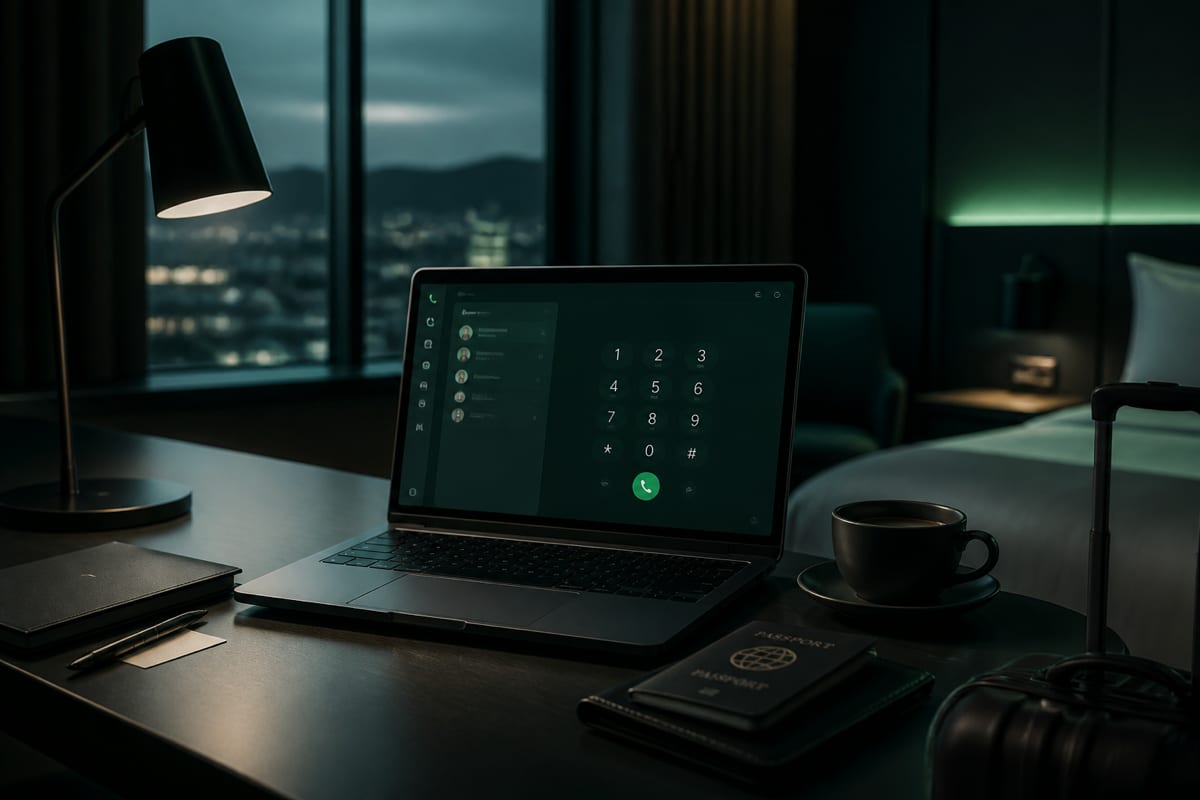
In short: Customer-service calls from abroad work best when you dial a full international geographic number over Wi‑Fi or mobile data—not on roaming voice. A browser dialer reaches the same agents as a normal phone call. Start with our service numbers directory of common published contacts, confirm the live rate before you connect, and try BLAH! phone from your browser dialer. Note that BLAH! phone does not support in-call DTMF (the dial pad is disabled during active calls), so it is best suited for direct lines, voice-activated menus, or queues that default to a live agent.
Travel is when you most need banks, airlines, hotels, insurers, and government agencies—and when your mobile carrier is most eager to bill you for roaming voice. A lost card in Lisbon, a missed connection in Dubai, a hotel charge dispute from a beach in Thailand: these problems do not wait until you are home.
The fix is operational, not magical. Find a number that actually works from overseas, dial it in international format, route the audio over the internet, and have your account details ready before the agent starts asking questions.
This guide walks through that workflow step by step: how to hunt down the right support line, why toll-free numbers often disappoint travelers, how to place the call from a browser without installing another app, and what to expect regarding hold times, billing, and caller ID.
Why roaming voice is a costly default
When you are traveling internationally, your mobile phone is your lifeline. However, relying on your home carrier's roaming voice service to call customer support is often a recipe for unexpected expenses.
When you place a standard roaming call, your home SIM registers on a foreign partner network. The call must then be routed from your current location, back through your home carrier's core network infrastructure, and finally out to the destination country. This multi-hop routing introduces significant technical complexity, which carriers pass on to consumers in the form of steep per-minute roaming fees.
Furthermore, roaming voice lacks transparency. Many travelers do not know the exact per-minute rate of their call until their monthly bill arrives weeks later. Some carriers offer international "travel passes" or daily bundles, but these can still be expensive if you only need to make a single, short call to resolve an issue.
Data-based calling offers a modern, transparent alternative. By using WebRTC (Web Real-Time Communication) technology, a browser-based dialer converts your microphone audio into digital packets and transmits them over Wi-Fi or local mobile data (such as a travel eSIM). These packets are routed directly to a telephony gateway close to the destination, which bridges the call onto the local public switched telephone network (PSTN).
This approach provides several key advantages for travelers:
- Upfront transparency: You see a clear, per-minute rate before you click dial, allowing you to budget accordingly.
- No voice SIM required: You can make calls even if your phone has no SIM card, is carrier-locked, or is running on a data-only eSIM.
- Device flexibility: You can place the call from a laptop, tablet, or smartphone browser—no app store downloads or installations required.
Finding a number that works internationally
The first hurdle when calling customer service from abroad is finding a phone number that will actually accept and route your call. Many companies publish simplified, short-form numbers (like 3-digit or 4-digit short codes) or domestic-only lines for their local customers. These numbers are tied directly to local carrier routing tables and will not connect when dialed from an international network.
Before you place your call, use this systematic checklist to locate a working international number:
- Search the company's international support page: Look for a "calling from outside the country" or "overseas support" section. Large brands almost always publish a standard geographic number (e.g., starting with
+1for the US,+44for the UK, or+49for Germany) specifically for international callers. - Examine your physical cards and documents: For financial institutions, look at the back of your credit or debit card. There is usually a geographic number printed next to the domestic toll-free number, specifically designated for "collect calls" or "international callers."
- Check booking confirmations and mobile apps: Airlines, hotels, and travel agencies often bury geographic contact numbers in the footer of confirmation emails or within the "help" menu of their mobile applications.
- Consult our service numbers directory: We maintain a comprehensive index of common published contacts and published numbers for popular banks, airlines, and service providers. If you need to reach Chase, Revolut, or Booking.com, our directory lists their published geographic numbers along with direct dialing links where available. Note that these are common published contacts gathered for convenience, not officially verified or endorsed by the brands.
- Convert the number to E.164 format: Once you find the number, ensure it is formatted correctly for international dialing. Drop any national trunk prefixes (such as the leading
0used in the UK or Europe) and prepend the country code with a+. For example, a London number written as020 7946 0958must be dialed as+44 20 7946 0958.
For a complete guide on how international number formatting works, refer to our guide on international number format (E.164).
Toll-free numbers: honest failure modes
Toll-free and freephone numbers—such as 800, 888, 877, 866 in North America, or 0800, 0808 in the UK—are a staple of customer service. However, when you are abroad, relying on these numbers can be highly unpredictable. It is a common misconception that toll-free numbers work universally from any location or device. In reality, toll-free routing is fundamentally geographic and carrier-dependent.
To understand why toll-free numbers often fail or require international access from abroad, it helps to look at how they are billed. When a company sets up a toll-free number, they agree to pay their carrier for all incoming calls. To keep these costs predictable, companies typically restrict their toll-free lines to receive calls only from specific geographic regions (usually their home country).
When you attempt to dial a domestic toll-free number from an international network, several failure modes can occur:
- Routing rejection: The foreign carrier or the destination carrier may refuse to route the call because there is no billing settlement agreement in place for international toll-free calls.
- Geographic blocking: The receiving company's telecom configuration may automatically reject any inbound calls originating from outside their home country's borders.
- Unexpected charges: Some international networks will route the toll-free call but treat it as a standard international long-distance call, billing you their standard international rates.
The table below outlines common outcomes when attempting to reach toll-free lines from abroad:
| Method | What often happens | The reliable alternative |
|---|---|---|
| Dialing the 800/0800 number directly | The call often fails immediately, plays an error recording, or rings indefinitely without connecting. | Look for the company's published geographic number (e.g., +1 212... or +44 20...) instead. |
| Adding your home country's exit code | The call may connect, but it will typically be billed as a standard international call, not a free one. | Use a browser-based dialer to call the geographic number at low, transparent per-minute rates. |
| Using international toll-free numbers (UIFN) | Some companies use +800 numbers, which work in limited participating countries but often require specific carrier support. | Check if the company lists a local geographic number for the country you are currently visiting. |
Rather than fumbling with unpredictable toll-free prefixes, the most reliable path is to skip the 800 number entirely and dial the company's published geographic support line.
If you are comparing different calling solutions, our guide on the best web-based calling apps explains how browser dialers handle various destination prefixes without making unrealistic promises about universal toll-free access.
Step-by-step: dialing and connecting from the browser
Once you have located a geographic number that accepts international calls, placing the call through a browser dialer is straightforward. Because browser dialers run directly in standard web browsers like Chrome or Safari, you can connect from almost any internet-enabled device without installing software.
Follow these steps to ensure a stable, high-quality connection:
- Establish a stable internet connection: Connect to a reliable Wi-Fi network or use local mobile data. If you are using hotel or airport Wi-Fi, ensure you have fully completed the captive portal login process (entering your room number or accepting terms) before opening the dialer. An incomplete portal login will cause WebRTC calls to fail.
- Open the browser dialer: Navigate to the BLAH! phone dialer in Chrome, Safari, or Edge on your laptop, tablet, or smartphone.
- Grant microphone permissions: When prompted by your browser, click "Allow" to give the site access to your microphone. If you accidentally blocked access previously, you can reset it by clicking the lock icon in your browser's address bar. For detailed help, see our guide on browser microphone for calling.
- Enter the number in E.164 format: Type or paste the full international number, beginning with the
+symbol and the country code. Remember to omit any national trunk prefixes (such as the leading0or1used for domestic dialing). - Verify the live rate: The dialer will display the exact per-minute rate for the destination prefix you entered before you click call. Rates are highly competitive and billed on a transparent pay-as-you-go basis.
- Connect and speak: Click the call button. Once connected, speak with the agent or follow spoken prompts.
- Important DTMF Limitation: Please note that BLAH! phone does not support in-call DTMF. The dial pad is completely disabled once a call is connected. If you are calling a system that requires you to press keys (e.g., "press 1 for billing"), you will not be able to send these tones. To navigate these systems, try speaking your choices if the system is voice-activated, wait on the line to see if it defaults to a live agent, or use another channel like live chat or email.
To learn more about setting up browser calling on different devices, check out our guides on how to call from your browser without an app and how to call internationally without a SIM.
The IVR playbook for travelers
Interactive Voice Response (IVR) systems—the automated voice menus that ask you to "press 1 for reservations or 2 for support"—can be challenging from abroad. Network latency and echo can make menus hard to follow, and because BLAH! phone does not support in-call DTMF (the dial pad is disabled during active calls), navigating keypad-only menus is not possible.
To reach a human agent as quickly as possible under these constraints, use this traveler's IVR playbook:
| Step | Action | Why it matters |
|---|---|---|
| Preparation | Write down your account number, booking reference, and a callback email before dialing. | Menus and agents move fast. Fumbling for details mid-call wastes billed minutes. |
| Audio Setup | Use a wired headset or earbuds with a mic. | Laptop speakers can echo and confuse both you and speech-recognition prompts. |
| Language Selection | If offered, select the language you navigate most comfortably. | Some centers route English queues to larger multi-country hubs. |
| Identity Verification | Provide the phone number on file with your account, even if it differs from the CLI on this call. | Browser dialers present a service-associated caller ID, so auto-recognition of your personal mobile often fails. |
| Queue Routing | Speak clearly when prompted. For critical issues (lost card, cancelled flight), say the urgency early. | Many IVRs prioritize fraud and disruption queues. |
| If tones are required | Speak your choice if voice-activated, wait for a default agent transfer, or use another channel. | BLAH! phone's dial pad is completely disabled during calls; in-call DTMF is not supported. |
| Hold Management | Keep the device powered and on stable Wi‑Fi. | Hold time usually still bills on pay-as-you-go dialers. |
| Post-Call | Ask for a case reference and email confirmation of changes. | Written records help when you follow up from another country. |
Additionally, keep in mind the time zone of the destination you are calling. Attempting to reach a domestic support desk at 3 a.m. local time often means you will be routed to an after-hours skeleton crew with limited account access. Whenever possible, call during the destination's standard business hours.
Hold time and billing: what to expect
When using pay-as-you-go international calling services, it is important to have realistic expectations about hold times and billing. Unlike traditional landline plans that may bundle unlimited minutes, browser-based dialers typically bill for the entire duration of the connection, from the moment the call is answered until you hang up.
This means that minutes usually bill while you are navigating the IVR menus and listening to hold music.
Here is why this is standard industry practice: once the destination network answers the call—even if it is just an automated recording—a live telephony circuit is established across the public switched telephone network (PSTN). The telephony gateway must maintain this active voice path, which incurs costs from the terminating carriers.
To manage your costs effectively during customer service calls:
- Check the rate beforehand: Review the live per-minute rate displayed in the dialer before initiating the call. Geographic lines in some countries or premium-rate prefixes may carry higher rates.
- Budget for hold times: If you anticipate a long hold, calculate the potential cost. For example, a 15-minute hold at a rate of $0.02 per minute will cost $0.30. While this is highly affordable compared to standard carrier roaming rates (which can easily exceed $2.00 per minute), it is still a billed cost.
- Use digital channels for non-urgent queries: If your issue is not time-sensitive, check if the company offers secure chat, email, or social media support, which can be used for free over Wi-Fi. Save voice calls for urgent matters like flight cancellations or frozen bank cards.
- Hang up cleanly: Always ensure you click the red hang-up button in the browser dialer to terminate the call and stop the billing clock immediately.
At BLAH! phone, we believe in complete transparency. Our rates are clearly displayed, and your pay-as-you-go credits never expire. To verify your audio setup and see how the billing works, open the browser dialer and check the live rate before you call.
Caller ID, account security, and scam hygiene
When you place an outbound call using a browser dialer, the call is routed through international telephony gateways. As a result, the call will present a service-associated caller ID, rather than your personal mobile phone number.
This has important implications for account security and verification:
- No automatic recognition: Financial institutions and airlines often use inbound caller ID as a secondary verification factor. Because your call will show a service-associated caller ID, the automated system or the live agent will not automatically recognize your account.
- Be prepared for verification: You will need to pass manual, knowledge-based authentication. Have your full billing address, recent transaction amounts, account numbers, or answers to your security questions ready.
- App or email OTPs: If the agent needs to send a one-time passcode (OTP) to verify your identity, they will send it to the mobile number or email address on file with your account. Ensure you have access to your email or can receive SMS (e.g., if you kept your home SIM active in airplane mode or are using a virtual number).
Scam hygiene while traveling
Maintaining strict security hygiene is critical when managing accounts from abroad. Travelers are frequent targets for phishing and vishing (voice phishing) scams. Keep these essential safety rules in mind:
- Only call verified, published numbers: Never dial a phone number sent to you in an unsolicited SMS, email, or pop-up warning. Only call numbers you have looked up yourself on the company's official website, their mobile app, or trusted directories of common published contacts like our service numbers hub.
- Never share sensitive credentials: Real customer service agents and bank fraud departments will never ask you to reveal your full account password, PIN, or the one-time passcodes (OTPs) sent to your device. If an agent asks for this information, hang up immediately.
- Verify inbound calls: If you receive an unexpected call from someone claiming to be from your bank's fraud department, do not share any information. Hang up and dial the geographic support number printed on the back of your physical card.
- Avoid public hotel phones for sensitive calls: Hotel room phones and front-desk transfers are not secure channels for sharing financial or personal information. Placing the call from your own laptop or smartphone over a secure connection is a much safer practice.
If you need to receive SMS verification codes while traveling, note that outbound calling and inbound SMS are separate products. You can read our guide on how to receive OTP SMS online to understand how virtual numbers can assist with travel verification, though keep in mind that some financial institutions restrict OTP delivery to non-VoIP numbers.
When browser calling beats other options
To help you choose the right communication method for your trip, the table below compares browser-based calling with traditional roaming voice and standard consumer chat applications:
| Scenario | Browser Dialer | Roaming Voice | Chat App Voice |
|---|---|---|---|
| Calling a bank fraud desk | Excellent: Reaches any standard geographic PSTN line with transparent, low per-minute rates. | Expensive: High per-minute roaming rates can accumulate quickly during long verification calls. | Incompatible: Banks do not support inbound calls from consumer chat apps like WhatsApp. |
| Rebooking a flight at the gate | Excellent: Place the call from your laptop or phone over airport Wi-Fi without needing a local SIM. | Variable: Requires an active cellular roaming connection and burns expensive voice minutes. | Incompatible: Airlines do not monitor consumer chat voice lines for passenger rebooking. |
| Resolving a hotel billing error | Excellent: Call the hotel's local landline directly at local geographic rates. | Expensive: Standard international roaming rates apply to call the hotel's country. | Incompatible: Most hotel front desks cannot be reached via consumer chat apps. |
| Long hold times with support | Predictable: Low, stable per-minute rates shown upfront allow you to manage the cost of being on hold. | Unpredictable: High roaming rates or unexpected bundle overage charges can lead to bill shock. | Incompatible: Cannot be used to dial standard business support queues. |
While browser calling is highly versatile and economical for reaching businesses and landlines, it is not a complete replacement for a local SIM. For instance, a browser dialer is not a replacement for local emergency services (like 911, 112, or 999), which should always be dialed from a local mobile connection or physical landline to ensure accurate location routing.
For more information on country-specific calling rates and corridor guides — including call Poland, call Bangladesh, call Morocco, and call Guatemala — browse our calling destinations directory before your next trip.
Soft next steps
- Explore our service numbers directory to find common published contacts for major banks, airlines, and travel providers.
- Compare different web-based calling solutions in our best web-based calling apps comparison guide.
- Test your microphone and audio connection from the browser dialer before you travel.
- Read our related travel guides: