
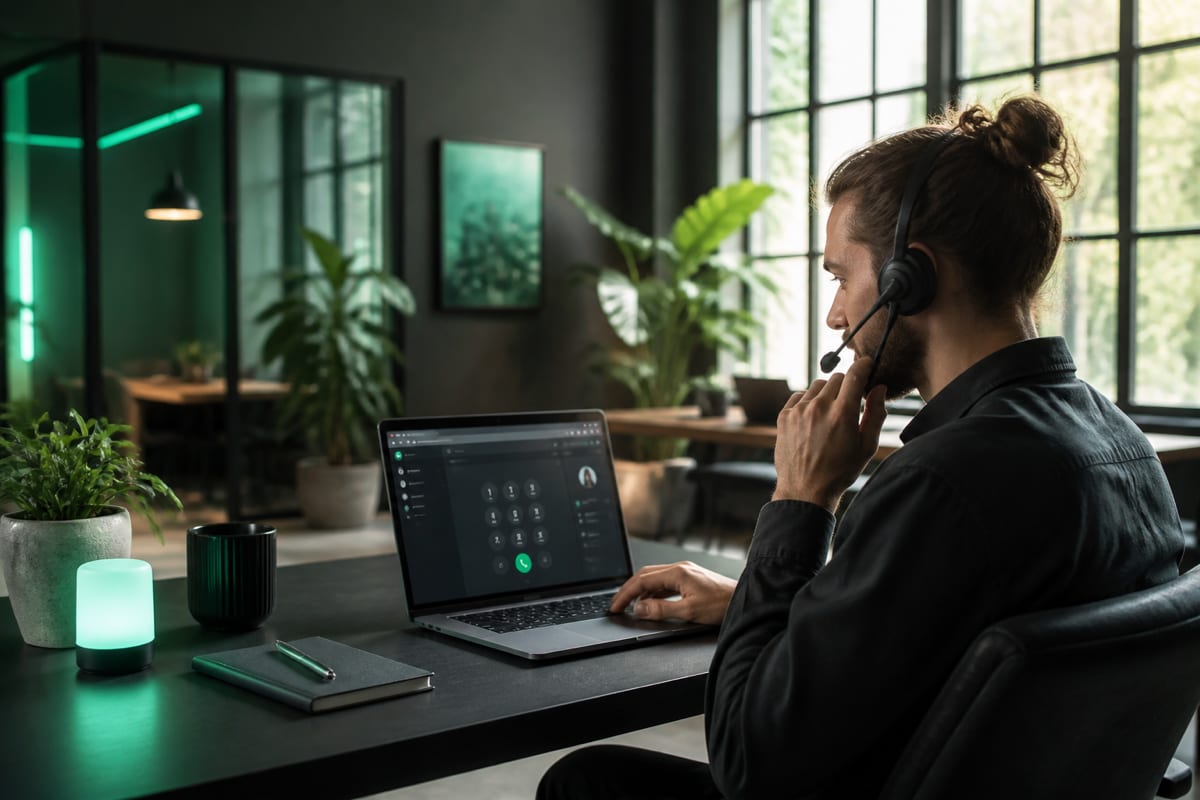
In short: Making international calls as a digital nomad is a study in network optimization. Crowded coworking Wi-Fi, restrictive captive portals, and high-latency VPN routing can degrade real-time voice packets, leading to frustrating, unprofessional calls. To maintain reliable, crystal-clear connections with clients and family back home, remote workers must understand how to optimize their local networks, manage VPN routing, and utilize flexible web-based tools. A browser-first dialer like BLAH! phone bypasses regional App Store locks, requires zero phone verification, and offers pay-as-you-go calling credits that never expire. Test your current connection from the browser dialer in Chrome or Safari.
The digital nomad lifestyle offers unparalleled autonomy: drafting code from a beachside cafe in Bali, managing client campaigns from a sleek coworking hub in Tallinn, or leading design sprints from a high-altitude hostel in Medellin. Yet, this geographical freedom introduces a significant operational hurdle: maintaining reliable, professional communication channels across changing borders and networks.
For remote freelancers, consultants, and distributed team leads, high-fidelity communication is a business necessity. A dropped connection during a high-stakes pitch or robotic, laggy audio during a client consultation can quickly erode professional credibility.
While internal team alignment is easily managed through platforms like Slack, Google Meet, or Zoom, reaching external clients, regional bank lines, insurance providers, or family members requires a direct, stable bridge to the Public Switched Telephone Network (PSTN).
This guide details the technical and practical strategies digital nomads need to master international calling on the road. We explore network optimization, VPN management, time zone workflows, and how to select highly flexible tools that adapt to your borderless schedule.
The public Wi-Fi battleground: Captive portals and firewalls
The average digital nomad connects to dozens of distinct local networks every month. From hotel rooms and airport lounges to coffee shops and shared desks, network quality is highly variable.
While a shared network might be perfectly adequate for loading static web pages, checking emails, or streaming music, real-time voice communication is far more demanding. VoIP traffic is uniquely sensitive to network quality because voice data is time-critical; while a web page can wait an extra second to load, a one-second delay in your conversation makes fluid communication impossible.
The technical hurdles of captive portals
We have all encountered captive portals—the web pages that intercept your browser when connecting to a public Wi-Fi network, demanding a room number, email sign-up, or acceptance of terms before granting internet access.
Captive portals and public access points frequently degrade real-time communications in three specific ways:
- Abrupt session timeouts: Many public networks enforce a strict time limit on individual sessions, automatically disconnecting your device after 30, 60, or 120 minutes. If your session expires mid-call, your audio stream will instantly terminate without warning.
- Aggressive bandwidth throttling: Cafés often enforce strict bandwidth caps per device to prevent a few heavy users from saturating the connection. While a high-quality voice call requires minimal bandwidth, aggressive throttling can delay the delivery of audio packets, leading to severe jitter.
- UDP port blocking: Real-time WebRTC media channels rely on User Datagram Protocol (UDP) to transmit audio packets as rapidly as possible without the connection overhead of TCP. Some restrictive network administrators block UDP traffic entirely to prevent file sharing or online gaming, forcing your browser to route media over slower, TCP-based fallbacks.
                  +------------------------------------------------+
                  |               VoIP Network Quality             |
                  +------------------------------------------------+
                                          |
                     +--------------------+--------------------+
                     |                                         |
         +-----------------------+                 +-----------------------+
         |   Acceptable Bounds   |                 |    Degraded Audio     |
         +-----------------------+                 +-----------------------+
         | Latency:  < 150ms     |                 | Latency:  > 250ms     |
         | Jitter:   < 30ms      |                 | Jitter:   > 50ms      |
         | Packet Loss: < 1%     |                 | Packet Loss: > 3%     |
         +-----------------------+                 +-----------------------+
How to optimize public Wi-Fi for calling
To ensure your voice sounds clear and natural to clients and family, apply these network optimization steps:
- Force captive portal authentication: Never attempt to place a call immediately after your system connects to a public Wi-Fi network. Open a clean browser tab and navigate to a non-secured site like
http://neverssl.comto force the captive portal's login screen to load. Complete the authentication fully and confirm you have active internet before dialing. - Assess network health (ping and jitter): Run a quick network speed test before any critical call. Do not just look at download speed; examine your latency (ping) and jitter. Your ping should ideally be under 150ms for natural, double-sided conversation, and jitter should remain below 30ms.
- Configure a mobile hotspot backup: Always maintain a local physical SIM or high-quality eSIM with active mobile data. If a shared coworking Wi-Fi network begins to stutter during a call, having your mobile hotspot active and ready as a backup connection can save a client relationship. For a comparison of these networks, read Wi-Fi vs mobile data for VoIP.
The VPN paradox: Balancing security and audio clarity
Security-conscious nomads almost always run a Virtual Private Network (VPN) to safeguard sensitive client data, source code, and personal credentials while working on public access networks. While a VPN is indispensable for security, it is often the single greatest cause of poor VoIP audio.
Why VPNs degrade voice connections
When you make a standard browser call over an open internet connection, your encrypted voice packets take the most direct path from your browser to our nearby carrier gateway, which routes them directly to the phone network.
When a VPN is running, every single voice packet is subjected to a detour:
- Your browser captures your microphone input.
- The VPN client encrypts the audio packet.
- The packet is routed to a distant VPN server (often thousands of miles away).
- The VPN server decrypts the packet and routes it onto the open internet.
- The packet finally travels to the telephone gateway.
This detour introduces massive routing latency. If you are physically located in Portugal but routing your VPN through a server in California to access client assets, your voice must travel across the Atlantic and back just to reach a local number in Madrid. This results in a massive delay, leading to awkward, overlapping conversations where you and the callee constantly interrupt one another.
Furthermore, if the VPN server is experiencing high traffic, it can drop packets, leading to highly compressed, robotic, or dropped audio.
The nomadic solution: Split tunneling
To maintain robust security for your work assets without sacrificing voice quality, configure your VPN to use split tunneling.
This feature allows you to specify which web browsers or domains bypass the VPN encryption tunnel. By configuring your calling browser (or domain paths like BLAH! phone) to bypass the VPN, your voice packets can travel over the fastest, most direct route to our carrier gateways. Meanwhile, your sensitive work applications, databases, and emails remain fully protected inside the encrypted VPN tunnel.
Time zone strategy: Mastering cross-border communications
Operating across multiple time zones requires careful coordination. Working from Southeast Asia (UTC+7) or Eastern Europe (UTC+2) while your core clients reside on the US East Coast (UTC-5) or West Coast (UTC-8) means managing a significant scheduling gap.
Best practices for asynchronous time zone management
- Define strict, localized calling windows: Establish clear, recurring slots in your local calendar that align with standard, reasonable hours for your clients. Avoid taking calls at 3:00 AM local time unless it is an absolute emergency; chronic sleep deprivation will quickly impact your productivity.
- Deploy automated scheduling links: Use calendar tools like Cal.com or Calendly to let clients self-book calls within your designated calling windows. These systems automatically translate time zones, eliminating manual conversion mistakes.
- Consult regional public holidays: Remember that calendar events vary globally. A standard working day for you in Spain might be a major national bank holiday for your clients in the United Kingdom or Australia.
- Review live per-minute rates: Calling rates can vary significantly depending on the destination prefix (mobile vs. landline, or specific regional codes). Always paste the full international number into your dialer to view the exact live rate before starting a call to keep your travel budget on track.
Why nomads need pay-as-you-go credits that never expire
Most legacy telecommunication providers and major VoIP services are structured around rigid monthly subscription plans. They assume you reside in a single country, maintain a permanent billing address, and will consume a set quantity of minutes every 30 days.
For digital nomads, this subscription model is fundamentally flawed.
The friction of subscription-based calling
- Sunk costs on low-use months: Your calling needs fluctuate. Some months you may need to lead multiple client onboarding calls or resolve complex banking disputes; other months you might focus entirely on deep-focus work and make no voice calls at all. With a monthly subscription, you pay the same fee regardless of actual usage.
- Address verification locks: Frequently updating your credit card details or billing addresses as you move between temporary accommodations can trigger automated fraud-detection systems, locking you out of your calling account when you need it most.
- Arbitrary expiration dates: Many traditional calling cards and calling apps expire your purchased balance if you do not place an active call within 30 or 90 days, essentially confiscating your money.
The BLAH! phone freedom framework
BLAH! phone is designed explicitly to match the fluid, borderless lifestyle of digital nomads:
- Credits that never expire: You purchase calling credits only when you need them, and they remain in your account indefinitely. If you do not make a call for six months, your balance will be waiting for you, fully intact, exactly as you left it.
- Zero phone verification to start: Frequently swapping local physical SIMs or eSIMs as you cross borders means your active mobile number changes regularly. Because BLAH! phone does not require mobile phone SMS verification to sign up or log in, you never have to worry about being locked out of your account because you cannot receive a 2FA code on an old, inactive SIM.
- Bypass App Store region locks: Many mobile calling applications are region-locked. If your Apple App Store or Google Play account is set to your home country, you may be unable to download certain local utility or calling apps while physically abroad. BLAH! phone runs entirely in your web browser (Chrome and Safari), making it instantly accessible on any device, anywhere in the world, with no app store downloads or region restrictions.
To explore how our platform compares with traditional setups, read our guide on how to call internationally without a SIM card and our overview of the best web-based calling apps.
Navigating automated menus (IVR) on the road
As a nomad, you will frequently need to call institutions back home. Whether you are contacting your bank to unlock a credit card flagged for international travel, rescheduling an airline ticket, or coordinating with a tax agency, you will inevitably encounter Interactive Voice Response (IVR) menus—the automated systems that instruct you to "press 1 for billing, press 2 for support."
When placing these calls through BLAH! phone, you must keep this technical limitation in mind:
The BLAH! phone browser dial pad is disabled during active calls.
Because the dial pad is disabled once a call connects, you cannot transmit Dual-Tone Multi-Frequency (DTMF) touch-tones (keypad clicks) down the line. If you reach a menu that strictly demands you to input an account number, enter a passcode, or press a specific key to route your call, you will not be able to do so via the browser dialer.
Practical workarounds for automated menus
While this design decision keeps our calling client incredibly fast, secure, and lightweight, you can easily navigate most systems with these strategies:
- Utilize the 'No-Input' fallback: Most automated corporate switchboards are programmed with a fallback path for callers on rotary phones or old lines. If you do not press any keys, the system will typically repeat the prompt twice and then automatically route your call to a queue of live human operators. Simply remain silent.
- Leverage natural voice recognition: Many modern corporate IVR menus support voice commands. If the automated prompt asks you to "press 3 or say billing," speak clearly into your headset. Words like "representative," "billing," "operator," or "human" will frequently trigger an immediate bypass of the keypad menu.
- Target direct geographic lines: Avoid calling 1-800 or toll-free numbers from abroad, as they often have restrictive international routing or heavy automated menus. Instead, look for direct geographic numbers (usually prefixed with standard local area codes) designated for international callers. These lines are often shorter and route directly to live support teams. For details, read our guide on calling US toll-free numbers from abroad.
- Use native lines for keypad-heavy entries: If you must call a system that demands extensive keypad entry (such as typing a 16-digit debit card number or an automated security PIN), we recommend routing that specific call through a native mobile or landline connection that supports active DTMF signaling.
For more technical and tactical advice, read how to call customer service from abroad and browse our regional service numbers.
The nomad pre-flight calling checklist
Before you join your next client call or catch up with family back home, run through this quick checklist to ensure a perfect connection:
- Verify network stability: Check your ping and jitter. If the shared Wi-Fi is congested or slow, switch to your mobile data hotspot backup.
- Check your VPN settings: If your VPN is active, ensure split-tunneling is enabled for your browser, or temporarily pause the VPN to eliminate routing latency.
- Plug in your headset: Use a wired headset or earbuds with an inline microphone. This isolates your voice, blocks echo, and filters out café background noise.
- Format the number correctly: Ensure the target number is saved in the proper E.164 format (e.g.,
+ [Country Code] [Area Code] [Subscriber Number]), making sure to drop any leading domestic trunk zeros. Review our E.164 formatting guide if you need a quick refresh. - Check the live rate: Paste the number into the BLAH! phone dialer to verify the exact, live per-minute rate before you click dial.
- Allow microphone permissions: Confirm that Chrome or Safari has permission to access your microphone. If you have permission issues, see our guide on browser microphone for calling.
Soft next steps for digital nomads
Ready to build a more flexible, reliable communication setup for your travels? Here are a few simple ways to explore:
- Test your current Wi-Fi or mobile hotspot connection from the browser dialer.
- Review live rates on corridor pages such as call Poland, call Bangladesh, call Morocco, and call Guatemala, or the full calling destinations directory.
- Learn more about travel communication strategies in our guide to calling internationally without a SIM card.
- If you need to manage secure bank verifications on the road, explore our guide on how to receive OTP SMS online.
- Bookmark our guides index for a comprehensive library of formatting tips, network troubleshooting, and travel advice.